Spohad — Old photo albums didn’t have receipts in them.
Your camera roll does. Scroll it like a feed: life to Memories, everything you’ll need later to Saved.








Sound familiar?
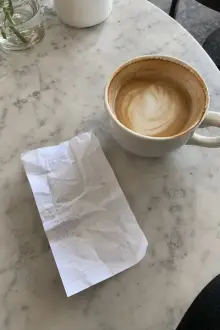
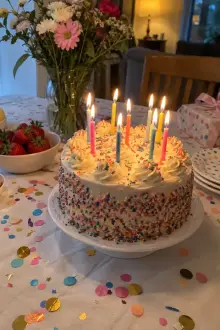
A receipt between your kid’s first steps.
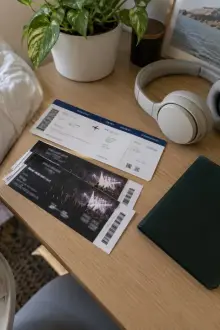
4,000 screenshots “for later.”
Your own photos — you never look at them.
“Storage full” — again.





Try it
One swipe. That’s the whole lesson.
- 1← Memories — a moment
- 2Saved → — need it later
- 3Trash — not needed


Tap “Put away” — and everything goes where you sent it.
Nothing moves until you tap “Put away”.
Done.
Moved out of Photos — into Files → Spohad. Plain files. Yours.
How it works
Two chests: your life and everything useful.
Memories grow dearer with the years. Saved stays at hand.
- 1Camera rollMoments, receipts, screenshots, memes — one pile.
- 2The FeedOne photo at a time, like a feed. Your thumb decides.
- 3MemoriesFamily, trips, the big days. Dearer with the years.
- 4SavedReceipts, tickets, screenshots, recipes — handy, and out of your life’s way.
- 5TrashBlurry shots and doubles. Gone only when you tap “Put away”.
Tap any part — it opens up.
Yours
Your photos stay plain files.
Folders in Files. No account, no ads, no tracking.
- Works offline
Spohad
- Memories3 folders · 128 photos
- Family · Trips · Friends
- Saved3 folders · 64 files
- Receipts · Recipes · Screenshots
And more…
- Duplicates
- Value
- Vault
- TV
- Apple Watch
- Files & drives
It opens up as you use it.

I built it for myself. Now it’s yours.
Scroll your life like a feed.
For ten years I looked for a photo sorting app that would let me sort from my phone, lying in bed, instead of sitting at a computer. I never found it. So I built it myself.